500점이 넘을 때 Clear 문자열이 출력되도록 구현을 해놨었는데 이를 GameClearMenu 위젯 블루프린트를 만들어서 띄우려 한다.
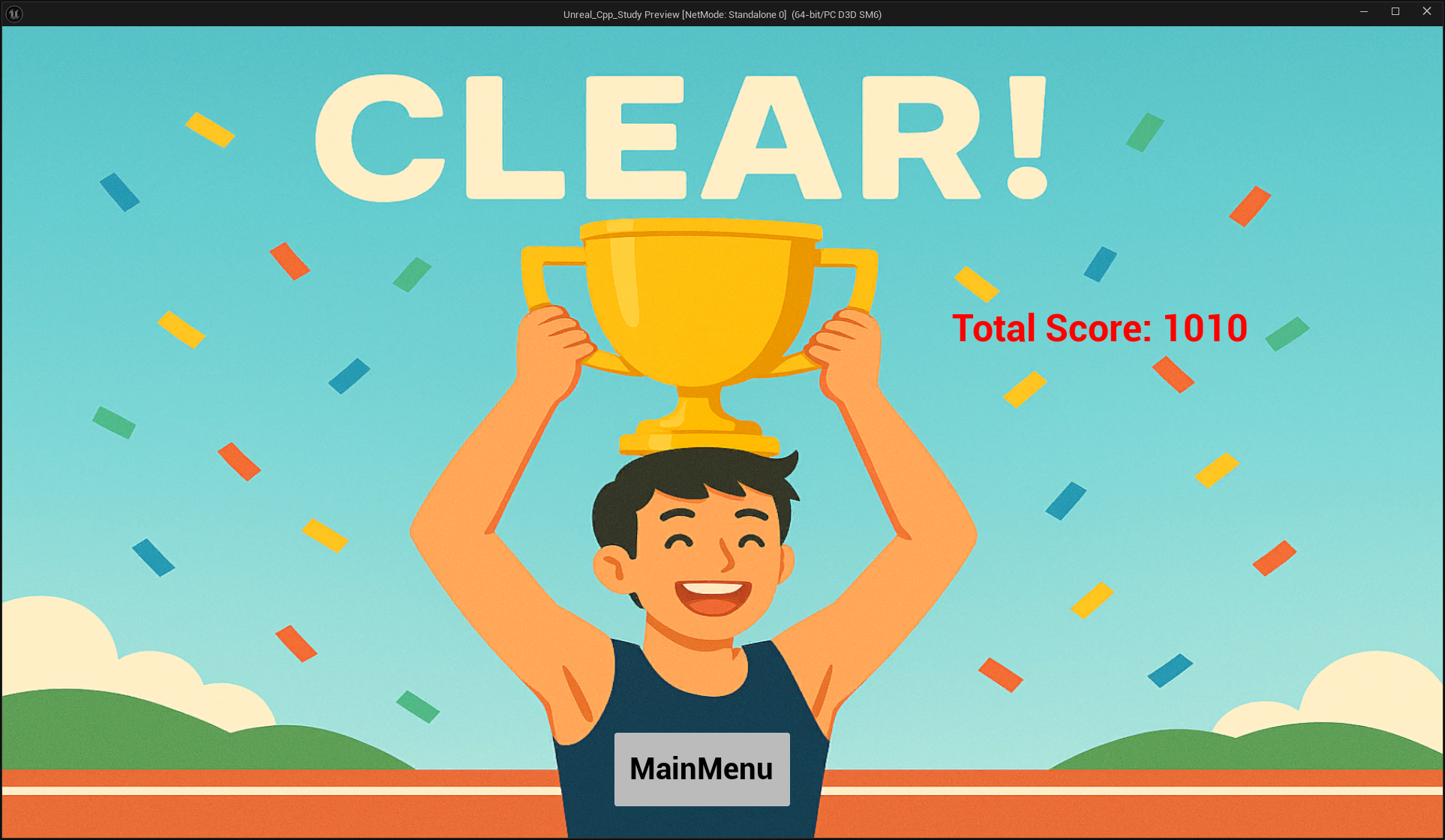
GameClearMenu에는 총 점수를 띄우고 메인 메뉴 버튼을 뒀다.

메인메뉴 버튼을 누르면 JinPlayerController의 ShowMainMenu 함수를 호출하도록 했다.
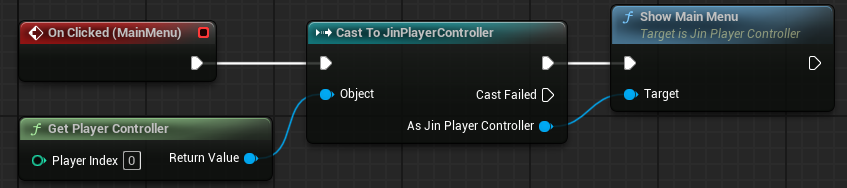
JinPlayerController에서 위젯 변수를 선언하고 에디터에서 WBP_ShowGameClearMenu를 GameClearMenuWidgetClass 변수에 넣었다.
// JinPlayerController.h
	UPROPERTY(EditAnywhere, BlueprintReadWrite, Category = "Menu")
	TSubclassOf<UUserWidget> GameClearMenuWidgetClass;
	UPROPERTY(VisibleAnywhere, BlueprintReadWrite, Category = "Menu")
	UUserWidget* GameClearMenuWidgetInstance;

	UFUNCTION(BlueprintCallable, Category = "Menu")
	void ShowGameClearMenu();
RemoveWidgetInstance에 게임클리어위젯인스턴스가 띄워져있으면 제거하는 로직을 추가하고 GameClear메뉴를 띄우는 로직과 JinGameInstance의 총 점수를 반영하는 로직을 구현했다.
// JinPlayerController.cpp
void AJinPlayerController::RemoveWidgetInstance()
{
	if (HUDWidgetInstance)
	{
		HUDWidgetInstance->RemoveFromParent();
		HUDWidgetInstance = nullptr;
	}

	if (MainMenuWidgetInstance)
	{
		MainMenuWidgetInstance->RemoveFromParent();
		MainMenuWidgetInstance = nullptr;
	}

	if (GameOverWidgetInstance)
	{
		GameOverWidgetInstance->RemoveFromParent();
		GameOverWidgetInstance = nullptr;
	}

	if (GameClearMenuWidgetInstance) // 추가
	{
		GameClearMenuWidgetInstance->RemoveFromParent();
		GameClearMenuWidgetInstance = nullptr;
	}
}

void AJinPlayerController::ShowGameClearMenu()
{
	RemoveWidgetInstance();

	if (GameClearMenuWidgetClass)
	{
		GameClearMenuWidgetInstance = CreateWidget<UUserWidget>(this, GameClearMenuWidgetClass);
		if (GameClearMenuWidgetInstance)
		{
			if (UTextBlock* TotalScoreText = Cast<UTextBlock>(GameClearMenuWidgetInstance->GetWidgetFromName(TEXT("TotalScore"))))
			{
				if (UJinGameInstance* JinGameInstance = Cast<UJinGameInstance>(UGameplayStatics::GetGameInstance(this)))
				{
					TotalScoreText->SetText(FText::FromString(FString::Printf(TEXT("Total Score: %d"), JinGameInstance->TotalScore)));
				}
			}
			GameClearMenuWidgetInstance->AddToViewport();

			bShowMouseCursor = true;
			SetInputMode(FInputModeUIOnly());
		}
	}
	SetPause(true);
}
이제 이 함수를 JinGameState의 EndLevel에서 현재 레벨이 MaxLevel보다 높을 때 기존에는 OnGameOver 함수를 호출해서 무조건 게임 오버 메뉴가 띄워지는 로직이였는데 조건을 추가해서 500점 미만일 때 OnGameOver 함수 호출, 500점 이상일 때 GameClear 메뉴를 띄우도록 구현했다.
void AJinGameState::EndLevel()
{
	bEndLevel = true; // 레벨 끝남
	bIsTrigger = true;
	GetWorldTimerManager().ClearTimer(WaveTimerHandle);
	GetWorldTimerManager().ClearTimer(LevelTimerHandle);
	GetWorldTimerManager().ClearTimer(ExplosionTimerHandle);

	if (UGameInstance* GameInstance = GetGameInstance())
	{
		UJinGameInstance* JinGameInstance = Cast<UJinGameInstance>(GameInstance);
		if (JinGameInstance)
		{
			++CurrentLevelIndex;
			JinGameInstance->CurrentLevelIndex = CurrentLevelIndex;
		}

		if(APlayerController* PlayerController = GetWorld()->GetFirstPlayerController())
		{
			if (AJinCharacter* JinCharacter = Cast<AJinCharacter>(PlayerController->GetPawn()))
			{
				JinGameInstance->HP = JinCharacter->GetHealth();
			}

			if (CurrentLevelIndex >= MaxLevels)
			{
				if (JinGameInstance && JinGameInstance->TotalScore < 500)
				{
					OnGameOver();
					return;
				}
				else if (JinGameInstance && JinGameInstance->TotalScore >= 500)
				{
					if (AJinPlayerController* JinPlayerController = Cast<AJinPlayerController>(PlayerController))
					{
						JinPlayerController->ShowGameClearMenu();
						return;
					}
				}
			}
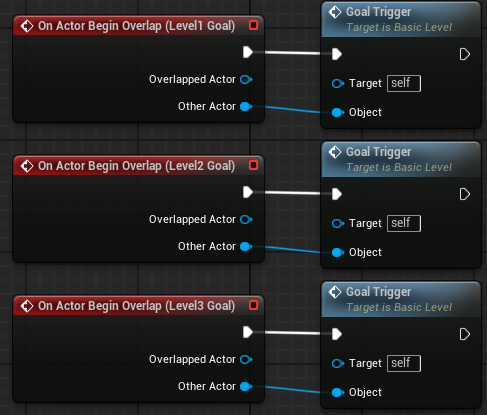
그리고 에디터의 레벨 블루프린트에서 구현해놓은 로직을 제거하고 골3 트리거 박스에 겹쳐질 때 EndLevel 함수가 호출되도록 수정했다.

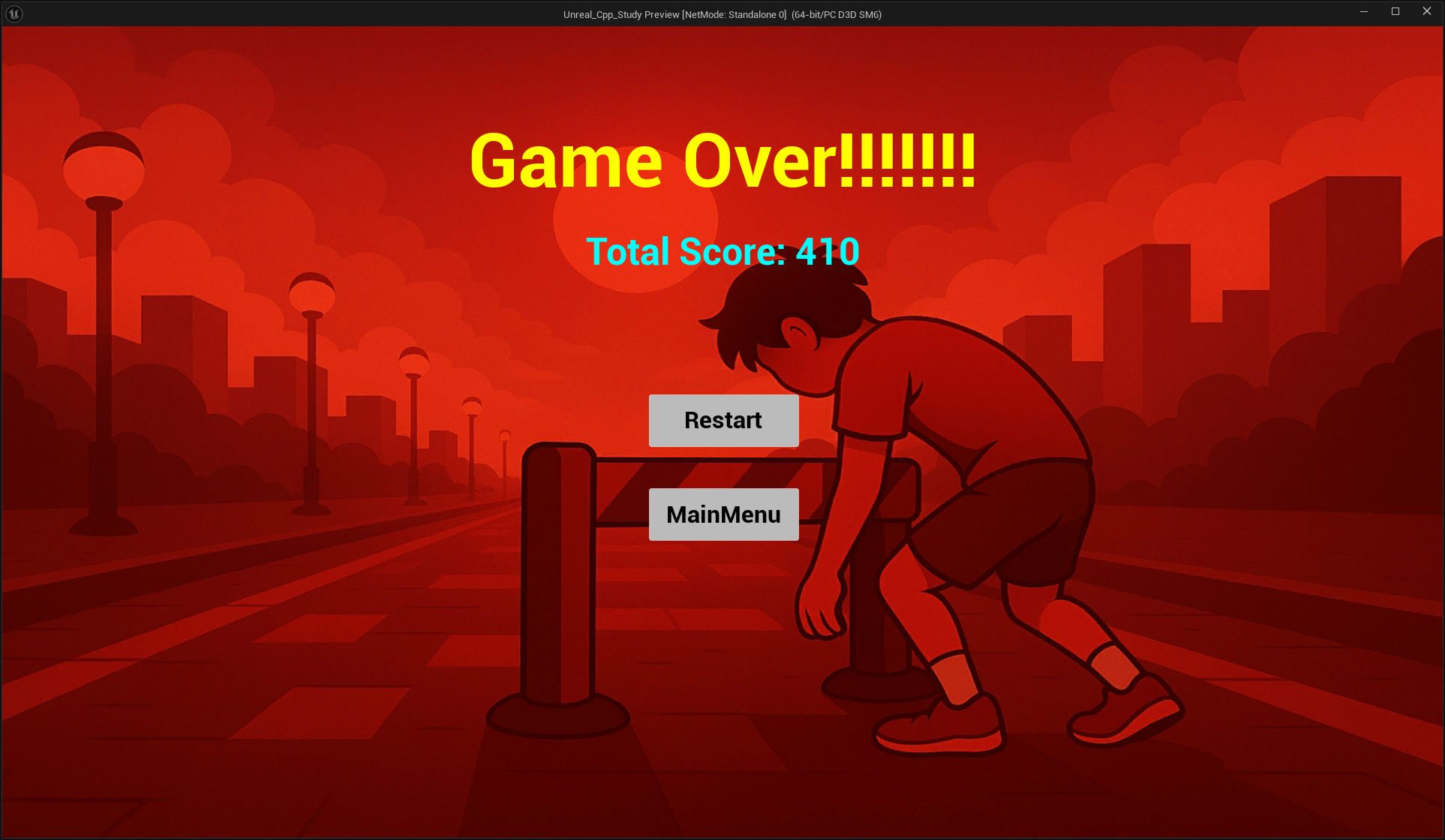
500점 넘었을 때 클리어 메뉴가 잘 뜨는지 테스트를 해보려고 게임을 여러번 해봤는데 난이도가 많이 어려워서 30분동안 클리어를 하지못해서 장애물들의 속도를 조금 낮추고 테스트를 해서 500점을 넘을 때 클리어 메뉴가 뜨는 것을 확인 했다.
'개인 프로젝트(과제)' 카테고리의 다른 글
| 8번과제 - 도전 과제 2, 3번 (0) | 2025.10.14 |
|---|---|
| 8번과제 장애물 만들기2, 도전 과제 1번 (0) | 2025.10.13 |
| 8번과제 장애물 만들기 (0) | 2025.10.09 |
| 8번과제 맵 만들기 - 레벨3 (0) | 2025.10.08 |
| 8번과제 레벨 2 맵에 아이템 스폰하기 (0) | 2025.10.07 |
